
Brand Expression
At Fannie Mae, we send a variety of emails: day-to-day communications among colleagues, customers, and vendors, as well as mass marketing emails to lenders and other business partners. The following guidelines will help us present a unified and consistent brand identity to all readers.
Email types
Day-to-day — everyday communications
Most of the emails you send every day fall into this general category and don’t require any specific template or formatting, other than the use of our brand font (Source Sans) and a branded email signature (including confidentiality notice and legal disclaimer). They’re usually sent from one person to specific individuals or limited groups of people. They can include:
- Direct emails between colleagues
- Project updates or questions
- Follow-ups to marketing emails
Mass marketing emails
Marketing emails — which are sent to larger, segmented groups outside of Fannie Mae — are divided into two categories: transactional and commercial. These emails require the use of branded templates based on the use case.
Transactional — essential information
Emails are considered transactional when they contain information and updates that are essential to doing business with Fannie Mae. These emails require the use of branded templates and may include:
- Policy updates
- Critical technology updates
- Any news with the potential to impact the recipients’ business
Commercial — marketing and promotion
Commercial emails contain marketing or promotional content that is not critical to doing business with Fannie Mae. These emails require the use of branded templates and may include:
- Webinar invitations and follow-ups
- Surveys and polls
- Newsletters
- Announcements and C-suite communications
General best practices
There are fundamental best practices you can apply to all emails, including everyday communications.
Subject line
Keep your subject line short, relevant, and attention-grabbing so the reader is more likely to open your email. Aim for no more than 60 characters (less than 10 words) and preferably below 40 characters. If the subject is too long, it may not be displayed in full on the recipient’s device.
Main content
Readers generally skim an email before deciding if it’s worth reading. Make your content more appealing with these tips:
- Keep the main headline, subheadings, and paragraphs concise and meaningful.
- When possible, break information into bulleted lists or similar “chunks” that are easier to skim.
- Limit the use of photos and other images — and display them at reasonable sizes — to reduce the need for scrolling.
Call to action (CTA)
In most cases, an email should contain one primary call to action that clearly presents the next step for the reader to take — for example, visiting a landing page, registering for an event, or downloading additional information. The CTA is typically presented as a selectable button with a text label.
- Include one primary CTA — choose what’s most important. (Some emails may include secondary buttons or links, depending on the specific use case.)
- Keep the CTA label short (25 characters max.).
- Describe the action the reader will take rather than the destination they’ll encounter.
- Do: “Sign up now,” “Learn about new features,” “Download the guide,” “Share your thoughts”
- Don’t: “Event registration,” “New product features,” “Instruction guide,” “Satisfaction survey”
Marketing email formatting
When creating a new transactional or commercial email, be sure to use the correct branded template for the specific purpose. This eliminates a lot of guesswork and gives you a headstart on the process.
Structure
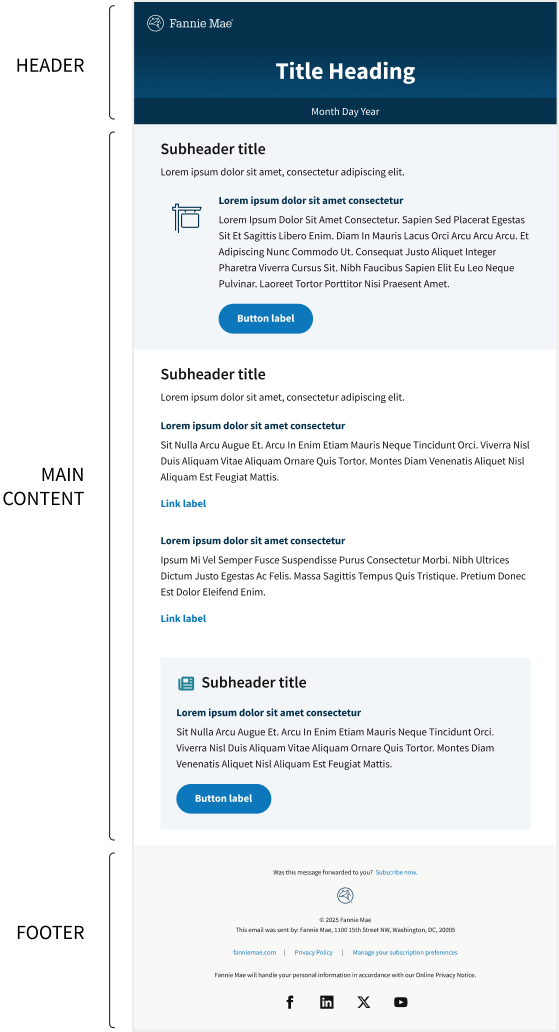
Most marketing emails include the following elements:
- A visually distinct header containing a title or descriptive headline.
- The body of the email, including concise headings and the main content divided into sections, along with relevant images or graphics and CTA buttons.
- A standard footer with contact and legal information and a link to unsubscribe.
Colors, typography, and branding
For guidelines on specific visual elements within marketing emails — such as CTA buttons, image and icon use, and other formatting — check the email toolkit in DAM.
For all content not explicitly covered in the toolkit, refer to the approved Fannie Mae brand colors, typography/fonts, and other relevant design guidelines.
Template examples
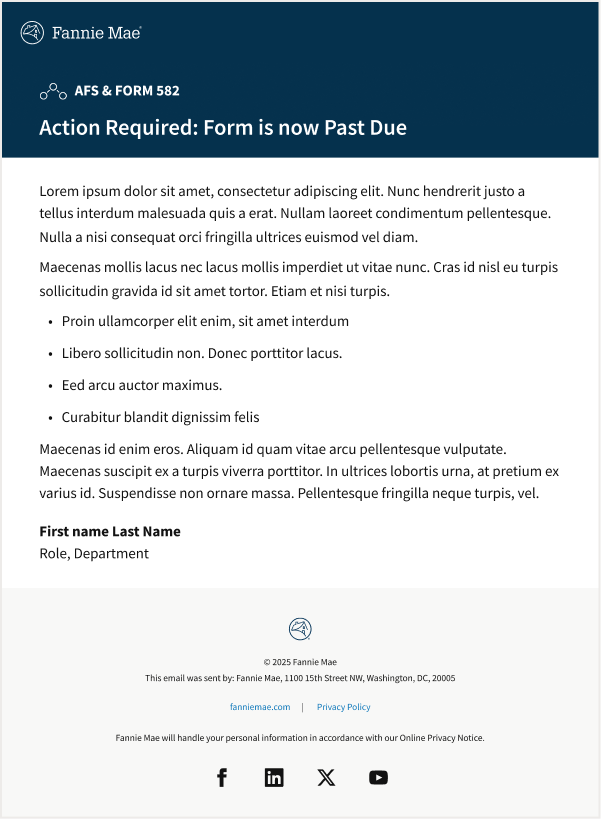
Transactional email: Business critical
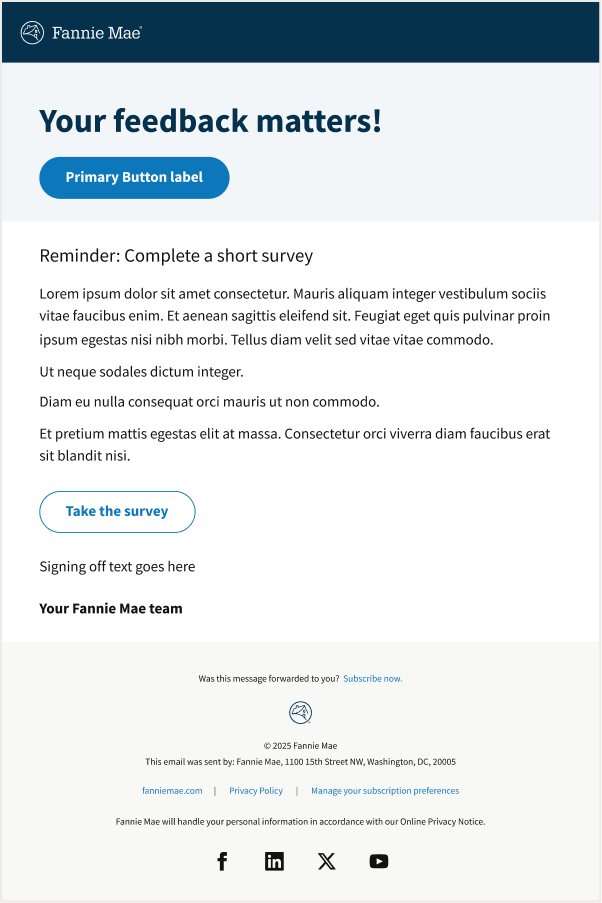
Commercial email: Survey
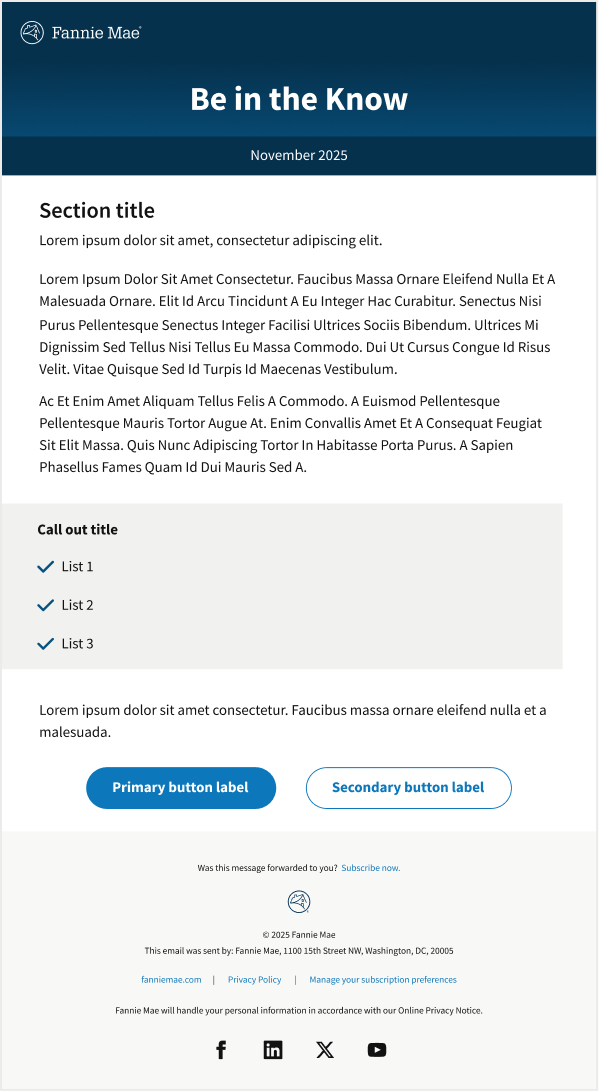
Commercial email: Newsletter